 Terrazzo
Some mornings you need one alarm.
Some mornings you need seven.
有些早上,一個鬧鐘就夠。
有些早上,你需要七個。
Terrazzo lets you set an alarm series — a start, an end, and an interval — then put that series on the days of the week that need it. And when you are actually awake, one confirmation clears the rest. Terrazzo 讓你把鬧鐘設成一串——開始時間、結束時間、間隔——然後把這一串貼到需要它的那幾天。而當你真的醒了,一次確認就能把剩下的全部收掉。
Requires iPhone with iOS 26 or later. Terrazzo asks for permission to schedule alarms on first launch, and cannot ring without it. 需要 iPhone 且系統為 iOS 26 以上。Terrazzo 第一次開啟時會要求排程鬧鐘的權限,沒有授權就無法響鈴。
| WFH居家 | OFFICE辦公室 | HOLIDAY放假 | |
|---|---|---|---|
| Mon週一 | |||
| Tue週二 | |||
| Wed週三 | |||
| Thu週四 | |||
| Fri週五 | |||
| Sat週六 | |||
| Sun週日 |
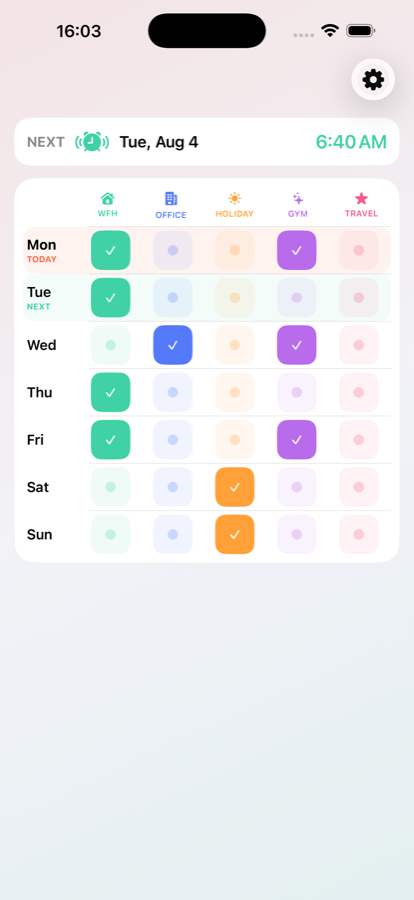
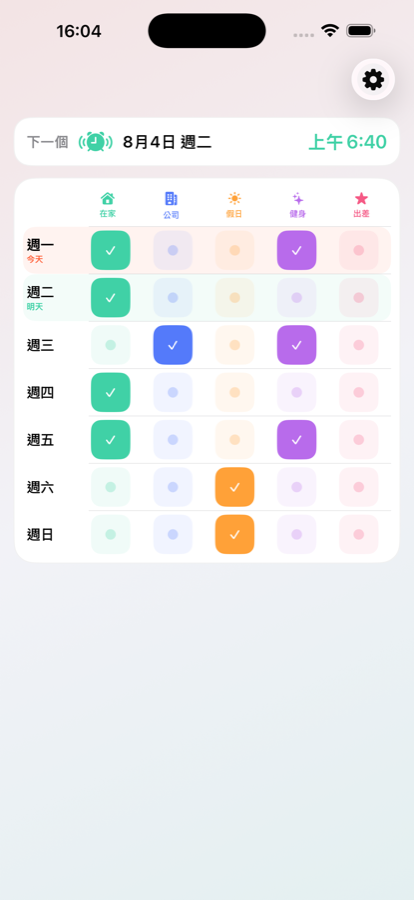
One screen, seven rows. Tap a segment on, and that day gets that tag's whole series. Nothing to edit again next week. 一個畫面、七列。點亮某一段,那天就套用該標籤的一整串鬧鐘。下週不必再改一次。
What makes it different和內建鬧鐘的差別
⏱️Alarm series, not single alarms是一整串鬧鐘,不是單一鬧鐘
Plenty of people already set five alarms by hand, five minutes apart. Terrazzo makes that one thing instead of five: a start, an end, and an interval. 6:30 to 7:00 every 5 minutes gives you seven alarms, and the editor shows the count as you change the times. 很多人本來就會手動設五個相隔五分鐘的鬧鐘。Terrazzo 讓這件事變成一件事,而不是五件:開始時間、結束時間、間隔。6:30 到 7:00 每 5 分鐘一次,就是七個鬧鐘;編輯時會即時顯示總數。
🫵Wake-up check起床確認
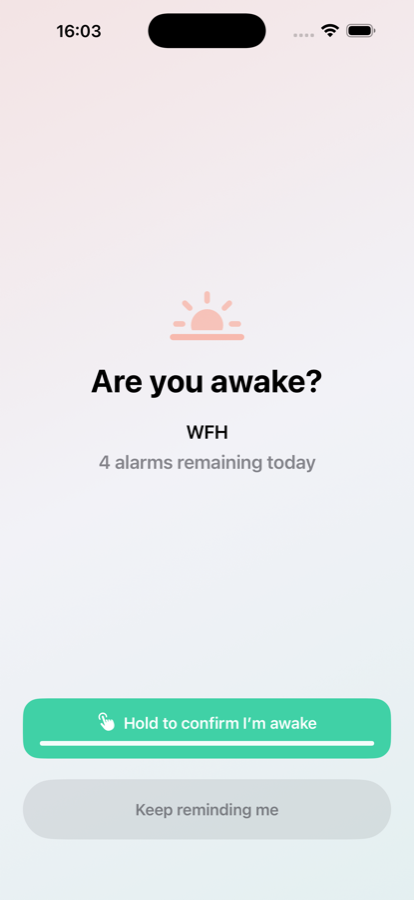
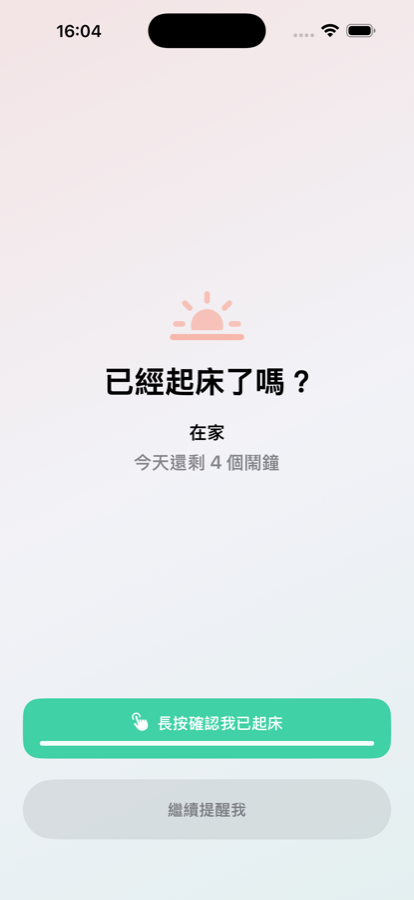
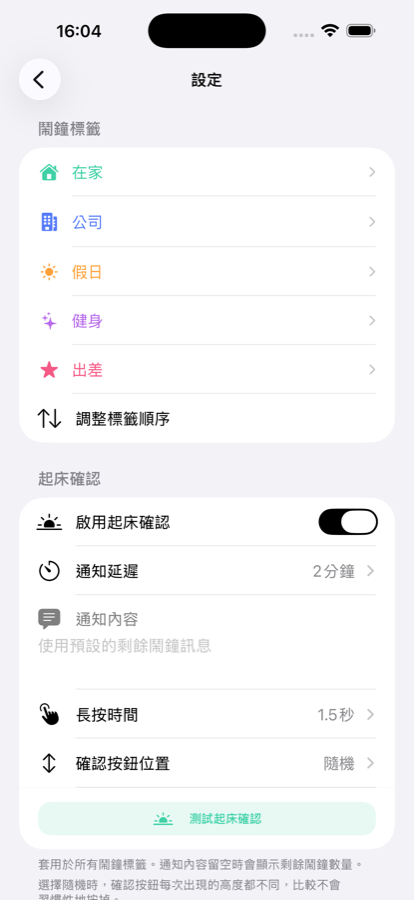
This is the other half of the series. After you stop an alarm, Terrazzo can ask you to hold a button to confirm you are actually awake — and confirming skips the rest of that morning's alarms. Ignore it and the remaining alarms stay exactly where you put them. By default the button lands at a random height each time, so it cannot be dismissed from muscle memory. 這是「鬧鐘串」的另一半。關掉鬧鐘之後,Terrazzo 可以要求你長按按鈕確認自己真的醒了——確認之後,當天早上剩下的鬧鐘會全部略過;沒確認的話,剩下的就照你原本的安排繼續響。預設每次按鈕會出現在隨機高度,避免你憑肌肉記憶隨手關掉。
🗓️One weekly grid一張每週總覽
Seven rows, Monday to Sunday, each with a segmented control showing your tags — WFH, OFFICE, HOLIDAY, plus two slots of your own. More than one tag can be on for the same day. 週一到週日七列,每列一組分段控制項列出你的標籤——居家、進辦公室、放假,再加上兩個自訂欄位。同一天可以同時開啟多個標籤。
For weeks that have a shape適合有固定形狀的一週
Early shifts on Monday, Wednesday and Friday, late shifts on Tuesday and Thursday. Wednesdays and Fridays in the office and the rest of the week at home. A lie-in on Saturday and an early start on Sunday. If your week repeats, you set it up once. 週一三五早班、週二四晚班。週三、週五進辦公室,其他天在家。週六補眠,週日要早起。只要你的一週會重複,設定一次就好。
A look inside實際畫面
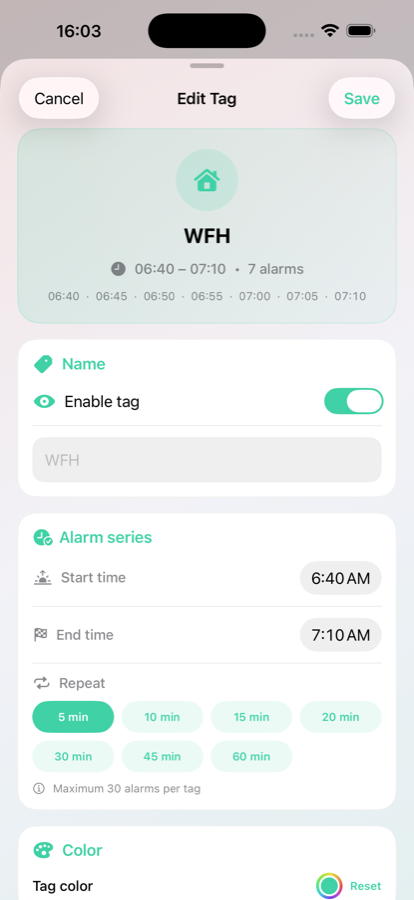
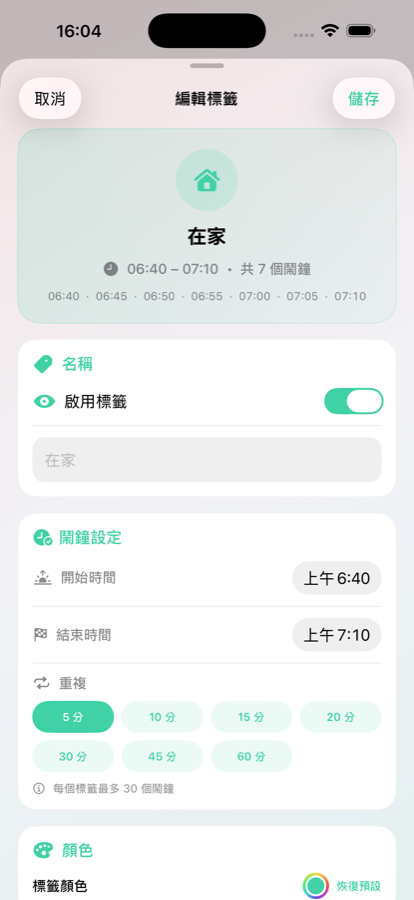
Also in the app其他
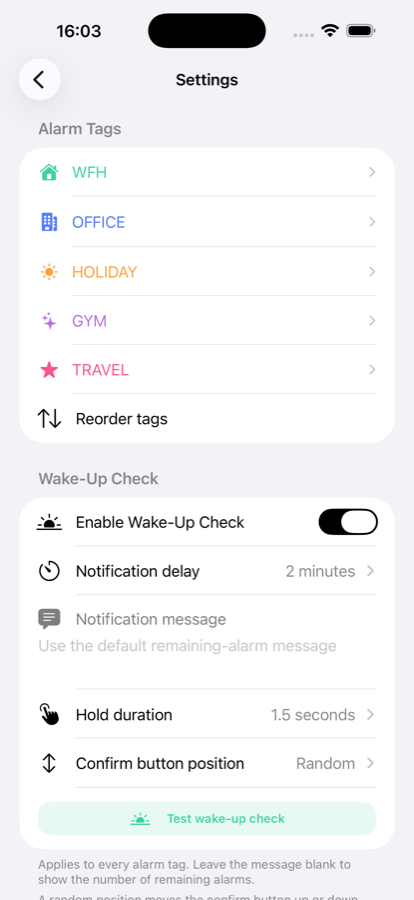
Alarms are scheduled through Apple's AlarmKit, so they ring in Silent mode and through Focus, take over the screen when the device is locked, and support snooze. Per-tag sound, colour, and icon. Reorder or disable tags. A test alarm that fires ten seconds out, and a rehearsal that walks through the whole wake-up check without touching your schedule. System, light, and dark appearance. 鬧鐘透過 Apple 的 AlarmKit 排程,因此在靜音模式和專注模式下都會響,鎖定時會全螢幕顯示,也支援貪睡。每個標籤可設定音效、顏色與圖示;標籤可重新排序或停用;有十秒後響起的測試鬧鐘,以及可完整演練起床確認流程、又不影響排程的預演功能;可選系統/淺色/深色外觀。
- English
- 繁體中文
- 简体中文
- 日本語
- 한국어
Privacy隱私
Terrazzo collects no data. It has no accounts, no server, and contains no networking code. Terrazzo 不收集任何資料。沒有帳號、沒有伺服器,app 內也沒有任何網路連線程式碼。
- Your tags and weekly schedule are stored only on your iPhone. 你的標籤與每週排程只存在你的 iPhone 上。
- No analytics, no crash reporting, no tracking, no advertising identifier. 沒有分析、沒有當機回報、不做追蹤,也不使用廣告識別碼。
- Notifications used by the wake-up check are local — there is no push server. 起床確認使用的通知是本機通知,沒有推播伺服器。